Skip To Translation Selection Skip To Top Navigation Skip To Content Skip To Footer

Help Hub

Welcome to the Help Hub

For the quickest assistance, click the appropriate icon below to request support based on your specific issue. If you're unable to use the online options, you can reach the HelpHUB by phone at 202-274-5941.

In-person IT support is available during regular business hours:
Monday–Friday, 8:30 a.m.-5 p.m.

UDC faculty, staff and students only! UDC login required.

Quick Help

Group of five UDC students smiling

Student Resources

Access a variety of tools, services, and support resources designed to help you stay informed, connected, and successful.
Four UDC staff members hugging and smiling,

Faculty & Staff Resources

Find important workplace tools, applications, and resources to support your daily activities, collaboration, and productivity.
GET STARTED
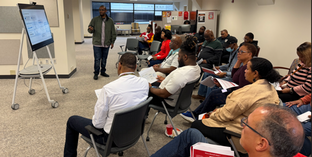
Group of staff members sitting in a semi-circle watching a presentation.

Trainings

Browse learning materials, tutorials, and development opportunities to enhance your skills and knowledge.
Light blue lock with user icon.

Setup Multi Factor Authenticator

Learn how to configure, manage, and troubleshoot Multi-Factor Authentication (MFA) to help protect your account.
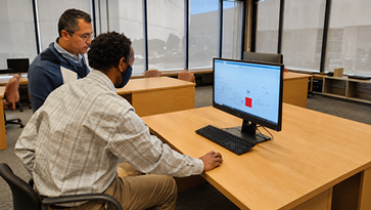
Two users on a computer, one showing the other user what to do.

Password Resets

Access self-service options and guidance for resetting or updating your password quickly and securely.
GET STARTED

Icon of user on a computer on the left half with "Client Services Help Desk Support" on right side of image.

Submit A Ticket

Submit requests, access support services, track issues, and find helpful resources through a centralized service portal.

Tech Tips

Red curved edge square with "P" and "Parking" written below

Online Parking Permit

You can now secure your parking ONLINE!
Hey Firebirds!
No need to make a trip to the Cashier's Office anymore—getting your parking permit is now easier than ever.
Secure your permit online from anywhere, anytime using our new portal.

Watch the video to learn more and get started!
WATCH VIDEO

Red curved edge square with email and hook icon and "Phishing" written below

Report Email Phishing

Learn how to quickly and effectively report phishing emails in Microsoft Outlook to help protect yourself and others from cyber threats. This step-by-step guide walks you through identifying suspicious messages and using Outlook’s built-in tools to report them. Stay safe and keep your inbox secure

Watch the video to learn more and get started!
WATCH VIDEO

Red curved edge square with email icon and "Email" written below

Email Scheduling

Having trouble with scheduled emails in Outlook? This quick tutorial shows you how to identify common scheduling issues and report them effectively. Learn how to check your settings, troubleshoot delays, and contact support when needed, so your emails go out exactly when you want them to.

Watch the video to learn more and get started!

WATCH VIDEO
Back to Top
Take The Next Steps, Today!