


Stay in Style
Logo and Branding Usage Guidelines
All marketing materials represent the university and its brand. Your assistance in maintaining this brand identity is crucial, and we rely on you to successfully represent our brand to the public. Creating customized versions of any UDC-branded materials in whole or in part without the express written consent of the Office of Marketing and Communications is strictly prohibited. If you have an immediate need that these guidelines do not address, please email [email protected]. Please do NOT create your own versions of these items.
The Official UDC Logo
Do not use any of the previous versions of the logo — they are now outdated. The university name should not be written/spelled out next to the logo (unless absolutely necessary and with the approval of the UDC marketing department).
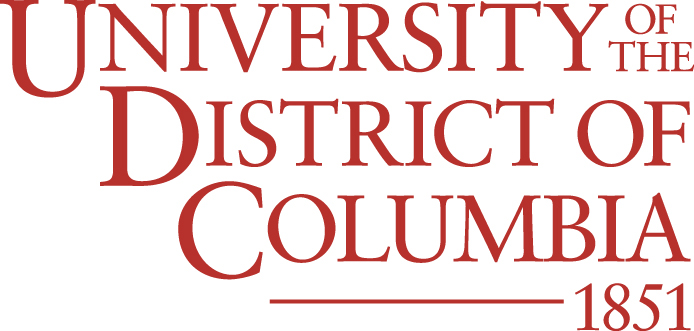
Horizontal versions of the official logo are also available. Download all approved logo assets using the link below.
The University Seal
The university seal is reserved for the Office of the President's usage only, under approval from the Office of Marketing and Communications and University Events and Protocol. The university seal should not be used on any promotional or marketing materials without approval from the Office of Marketing and Communications and University Events and Protocol. If you have questions, please email [email protected].
College, School and Department Logos
UDC has logos for university colleges, schools and selected departments. Approved logos are available here.
Campus Signage and Banners
No signage should be designed, fabricated or hung on university property or buildings (i.e., Connecticut Ave., Dennard L. Plaza) without prior approval from the Office of Marketing and Communications and University Events and Protocol. This covers all campuses, including Van Ness, Lamond-Riggs, Congress Heights, National Airport and the Firebird Research Farm.
The Firebird Mascot Logo
The Firebird mascot logo is intended for use in UDC Athletics materials. The logo can be used in conjunction with the university logo in branded material but should be used as a secondary graphic element rather than a stand-alone logo, unless directly associated with Athletics.
Size and Scaling Requirements
ALL logos must always be placed with a fixed proportion of height to width. Do not stretch them wider/horizontally or taller/vertically. Scale each logo proportionally only, i.e., with height and width percentages of the original logo size being equal (e.g., 90% width and 90% height).
Minimum requirement for open space around the official UDC logo: depth of open space around the logo should be equal to or greater than the X-height, which is the height of the capitol D in District.
Minimum size of the official UDC logo: Ideally, 2.5˝ wide, but it depends on the situation/layout. 1˝ wide for promotional premiums (e.g., pens, sticky notes, small items). The logo should not span the whole width of the page, but it should stand out predominately over the other elements. Most importantly, always ensure that all text in the logo is legible at its actual size.
Official Logo Colors
The following are the official color breakouts for printing on coated paper and web applications. Layouts should be predominantly based on these colors or white.
 |
 |
 |
| PMS 7620 CMYK: 0, 95, 94, 28 R-183 G-49 B-44 Web/Hex#: B7312C Primary color |
PMS 142 CMYK: 0,25,76,0 R-239 G-189 B-71 Web/Hex#: EFBD47 Secondary color |
PMS 422C CMYK: 0.0.0.44 R-162, G-164, B-163 Web/Hex#: A2A4A3 Secondary color |
Brand Fonts
We have created a systematic approach to typography using several font families, Larken, Brother 1816 and Source Sans Pro. These may be combined in many ways. Our goal is to create a clear and consistent visual hierarchy and maintain a sense of clarity, order, legibility and structure.
We’ve selected Larken as our primary serif typeface, utilizing five specific weights from Regular to Black, all with corresponding italics. It is ideal for use in headlines. Larken is accessible as a web font through Adobe Fonts. If Larken is unavailable, please use Adobe Text or Times New Roman as a substitute.
As our accent font, Brother 1816 is used in two selected weights—Medium and Bold—and is particularly effective in all caps. This font is accessible as a web font through Adobe Fonts. If Brother 1816 is unavailable, please use Montserrat or Gill Sans as an alternative.
Source Sans Pro is our primary sans-serif font, used in four weights with matching italics. It is well-suited for all body copy. If Source Sans Pro is unavailable, please use Helvetica or Arial as an alternative.
NOTE: Most marketing materials will be created and produced by external vendors, and it is their individual responsibility, by copyright law, to purchase these fonts.
Graphics and Photography Usage
Do not put the logo in a box. The old “boxy” style of the logo is no longer acceptable. Also, the bars and stars are no longer part of the UDC brand identity and should not be used as graphic elements. The star may be used as a small bullet only (font: Zapf Dingbats, key H).
Do not place the logo over a busy illustration or photo. All parts of the logo must be clear and legible.